DesktopBridge
Give your agent a desktop.
Connect to the host desktop, sandboxed applications or a remote desktop. Bring visual interaction into the same conversation.
 Let's talk
 SELF-HOSTED. CONNECTED. YOURS.
An AI agent for your files, tools and devices. Run it on your infrastructure. Put it in your team's hands.
Local models. Optional cloud. One connected workspace.
 SHADO Agent
BEYOND THE CHAT WINDOW
Your agent becomes more useful when it can reach the tools and devices where work happens.
Connect to the host desktop, sandboxed applications or a remote desktop. Bring visual interaction into the same conversation.
Connect supported Android devices and virtual devices for screen viewing and agent interaction. Manage the connection from SHADO.
Streaming responses, multiple conversations, archives and role presets. Choose the tools your agent can use for the task.
Arabic speech, transcription and read-aloud. Bring voice into the way you interact with your assistant.
Work with files and configure connections such as Nextcloud. Bring relevant information closer to the conversation.
Extend SHADO with Python tools, MCP servers and skills. Discover integrations and select capabilities for each preset.
Move between the dashboard and VS Code. Give coding tasks a dedicated preset and the tools they need.
Use local models or configure cloud providers. Choose models and capabilities to suit the work and your deployment.
DESIGNED TO STAY WITH YOU
A web workspace for the details. An iPhone companion for the conversation. Connected to your SHADO server.
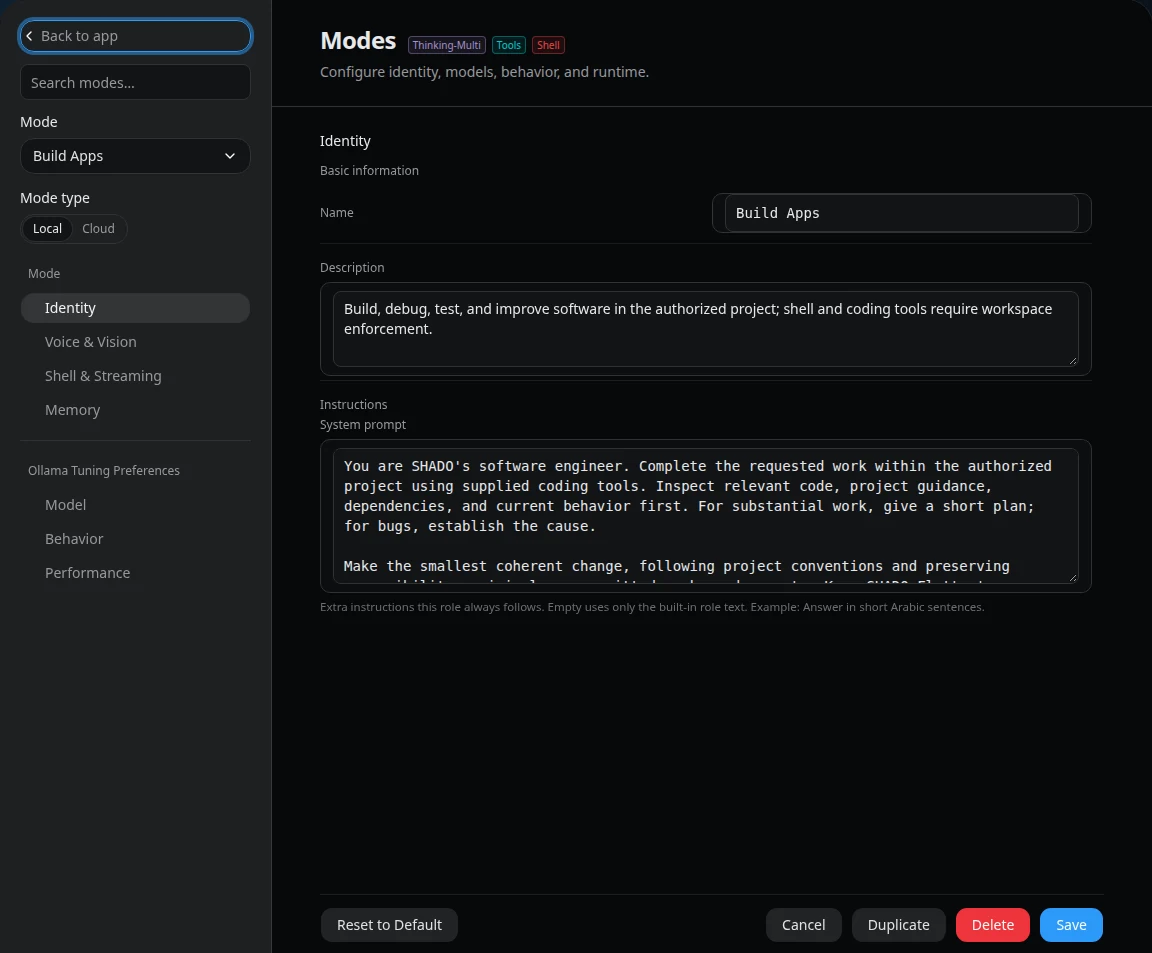
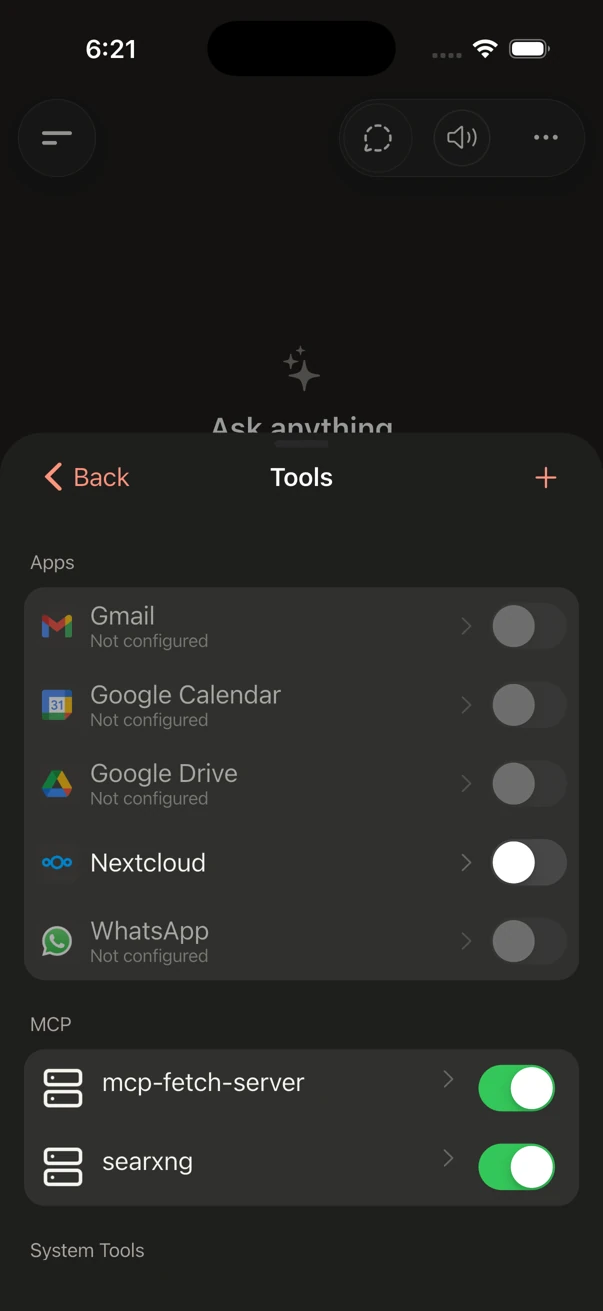
Move from a question to the right preset, tools and context.
Keep the experience familiar, wherever you connect.
BRING AI INSIDE
When work can't go to a public AI service, bring the assistant to where the work lives.
Run SHADO with local models. Connect the files and tools your deployment permits. Enable external providers only when they fit your requirements.
Discuss your deploymentSHADOLocal deployment path
START WITH A WORKFLOW THAT MATTERS
Explore what an in-house assistant could do for your team.
Explore assistance with policy research, administrative drafting and internal documents in an agency-controlled environment.
Evaluate file-based reporting, meeting summaries and repeatable tasks with the right tools and human review.
Explore coding assistance, specialist presets and opportunities to integrate an AI workspace into your own product.
Illustrative opportunities. Each workflow requires configuration and evaluation.
A FEW THINGS TO KNOW
No. SHADO supports local models on your infrastructure. If you enable an external model, search service or integration, the information needed for that request may leave your environment. Your model and integration configuration determines the data path.
No. The iPhone app is a companion interface for connecting to your SHADO server. MobileBridge connects supported Android devices and virtual devices for viewing and interaction.
A SHADO server, suitable compute for your selected models, and network access for your clients. Hardware requirements depend on model size and workload. External providers and connected services require their own accounts and configuration.
Yes. Start with a demonstration and a defined workflow. Deployment, access controls, integrations and suitability should be evaluated against your organization's requirements before operational use.
LET'S MAKE IT REAL
See SHADO in action. Start with a conversation about what you want to accomplish.
Request a demonstration